Run 3 — Play Free Online
More Runners games

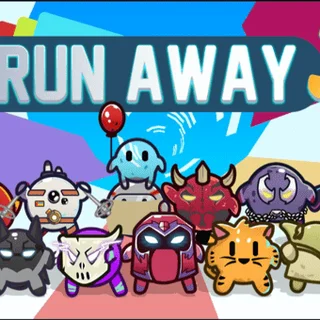
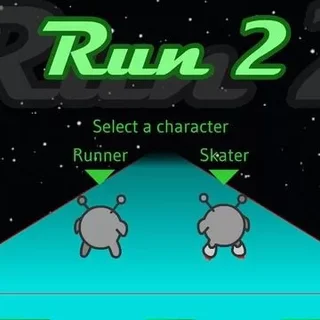
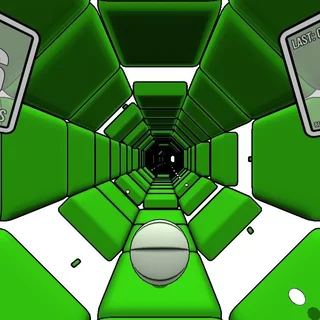



Run 3 is a fast-paced 3D platformer where you sprint through cylindrical tunnels floating through the depths of outer space. Created by Joseph Cloutier, the game challenges your reflexes and spatial awareness as you guide an intrepid alien explorer across crumbling tiles, shifting pathways, and wide cosmic voids.
What sets Run 3 apart from standard runners is its dynamic gravity mechanic. As you steer your character toward the left or right walls, the entire tunnel rotates beneath you, transforming the wall into your new floor. When a chasm stretches straight across your current path, a quick hop to a sidewall keeps your momentum alive and opens an entirely new route forward.
On Retro Bowl, where most sessions center on multi-drive football strategy, Run 3 offers an immediate change of pace. There are no playbooks or timeouts here—just pure reflex, instant restarts upon falling, and a steady climb in difficulty that rewards patience and practice.
How to play
Movement in Run 3 is responsive and straightforward:
- Steer sideways: Use the Left and Right Arrow keys (or A and D) to move across the tunnel floor and line up your trajectory.
- Jump: Press Spacebar or the Up Arrow (or W) to leap across empty space. Holding the key yields a higher, floating jump, while tapping it provides a quick hop.
- Rotate the tunnel: Run or jump directly onto an adjacent wall to rotate the corridor and establish a new floor plane.
Watch the surface beneath your feet carefully. Standard dark tiles provide solid footing, but lighter cracked tiles will crumble and fall away moments after you touch them. Use cracked tiles as fleeting springboards rather than landing pads.
Game modes and characters
Run 3 features two primary ways to play:
- Explore Mode: Navigate an expansive galactic map with branching paths and narrative cutscenes. Completing specific tunnel sets unlocks new tunnels and characters.
- Infinite Mode: Test your endurance in an endless, randomly generated corridor. Falling into the void ends the attempt, making it the ideal arena for practicing survival and collecting power cells.
As you progress and gather yellow power cells, you can unlock a roster of playable alien characters with distinct movement physics. The Skater moves with blistering speed and shallow leaps, the Lizard provides explosive vertical jumping power, and the Bunny bounces perpetually with relentless forward momentum.
Tips for deep space navigation
- Scan ahead: Keep your eyes focused several tiles ahead of your runner rather than staring at your character. Spotting gaps early gives you time to plan wall transitions.
- Rotate before running out of room: Do not wait until the final tile to leap for a wall. Switching planes early keeps your jumps controlled and avoids panicked corrections.
- Switch characters for tough stages: If a specific tunnel layout in Explore Mode feels impossible with the standard Runner, try tackling it with the Lizard for higher clearance or the Skater for wider leaps.
Similar games on Retro Bowl
If you enjoy the rapid pace and spatial navigation of Run 3, explore Tunnel Rush for another high-speed reflex test through rotating geometric corridors. For flat, momentum-focused platforming that demands pinpoint precision, OvO and World's Hardest Game offer great tests of timing and control.
Questions about Run 3
How does gravity shifting work in Run 3?
Whenever your character moves or jumps onto a side wall or ceiling, the entire tunnel rotates. The surface you land on becomes the new floor, letting you bypass large pits and continue running.
How do you unlock new characters in Run 3?
You can unlock characters by progressing along branching paths in Explore Mode or by collecting yellow power cells scattered across levels and spending them in the character shop.
What is the difference between Explore Mode and Infinite Mode?
Explore Mode features a galactic level map with story cutscenes and fixed stages, while Infinite Mode generates an endless obstacle course to test your endurance and rack up power cells.
Is your progress saved automatically in the browser?
Yes. Completed levels, unlocked characters, and collected power cells are stored locally in your browser storage, allowing you to resume your run anytime on the same device.