OvO is a fast-paced precision platformer created by Dedra Games where fluid momentum and split-second reactions determine whether you reach the flagpole or crash into hazard spikes. Controlling a simple stick figure, you sprint across narrow ledges, vault over gaps, and dive under hazardous traps across dozens of compact obstacle courses designed specifically for speedrunning.
What makes each stage engaging is how seamlessly movement mechanics connect. Rather than relying on simple walking and jumping, quick navigation requires stringing slides, wall bounces, and mid-air dives into continuous acrobatic flow. Because each attempt lasts only a few seconds and respawns are instantaneous, chasing a cleaner run or shaving fractions of a second off your personal record becomes hard to put down.
For visitors exploring Retro Bowl, OvO offers a refreshing change of pace from tactical sports play while sharing the same emphasis on crisp timing and quick-restart gameplay that fits neatly into short desktop gaming breaks.
Controls and core mechanics
Mastering movement in OvO requires familiarity with both basic keyboard inputs and combined acrobatic techniques:
- Run: Use the Left and Right arrow keys or A and D to build forward momentum.
- Jump: Press the Up arrow key, W, or Spacebar to leap over obstacles and clear chasms.
- Slide: Tap the Down arrow key or S while running to duck beneath low obstacles and maintain high forward velocity across flat surfaces.
- Dive: Press Down or S while in mid-air to drop quickly toward the ground or trigger springboard pads with added force.
- Wall jump: Jump directly into a vertical wall and press the jump button again as you make contact to rebound upward along narrow vertical shafts.
- Slide jump: Initiate a ground slide and immediately hit jump to convert your horizontal sliding speed into a long-distance forward leap.
Tips for faster stage completions
Consistent speed in OvO comes down to preserving momentum rather than stopping to survey upcoming traps. Here are several practical strategies to help lower your stage completion times:
- Chain slide jumps across flat stretches: Standard running has an upper speed limit, but sliding immediately followed by a jump propels your character forward significantly faster than normal sprinting.
- Cut floaty jump arcs with mid-air dives: Whenever you leap higher than necessary to clear a hazard, tap the dive key in mid-air to force your character straight back down onto solid ground so you can resume sprinting sooner.
- Buffer your wall bounces: Rather than waiting to visually register wall contact, press your jump input just before hitting a wall to bounce off instantly without losing vertical height.
- Collect coins during relaxed runs: Coins scattered throughout stages unlock new skins and customization options, but taking detour routes often adds seconds to your timer. Collect coins first, then focus on pure racing lines when targeting medal ranks.
Similar games on Retro Bowl
If you enjoy the fast reflexes and trial-and-error pacing of OvO, several other titles on Retro Bowl deliver related challenges:
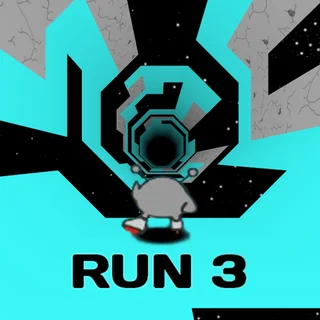
- Run 3: Explores momentum through rotating 3D space tunnels where shifting gravity keeps platforming intense.
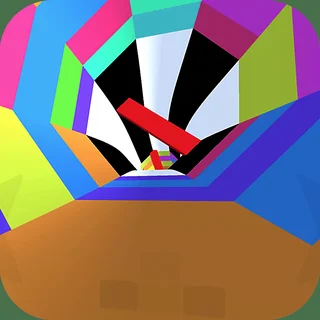
- Tunnel Rush: Strips platforming down to pure reflex dodging at extreme speeds inside psychedelic winding tubes.
- World's Hardest Game: Demands ruthless tile-by-tile precision and pattern recognition rather than physics-based parkour momentum.
Questions about OvO
What are the core controls for moving and jumping in OvO?
Use the left and right arrow keys or A and D to run, the up arrow, W, or Space to jump, and the down arrow or S to slide on the ground or dive downward while in mid-air.
How do you slide jump to clear large gaps in OvO?
Build up running speed on a flat surface, press the down arrow to slide, and immediately press jump while sliding to launch into a long, low-trajectory leap with extra speed.
Does OvO save level progress and unlocked skins in the browser?
Yes. Completed levels, earned coin collectibles, and unlocked character customizations are automatically saved to your local browser storage between play sessions.
Can OvO be played on Chromebooks and laptops without installing plugins?
Yes. OvO runs directly within any standard desktop HTML5 web browser, requiring no extra plugins, external downloads, or user account registrations to start playing.